Approvals for Google Sheets
Send any row of a Google Sheet for approval: a design, a draft, a quote, a purchase. Clients and colleagues approve or request changes from a link, without a Google account. Edit the row afterwards and earlier approvals stop counting. A log records who approved which version, and when.
Free edition available · full version £29 one-off
Approving Google Form responses (leave, expenses, purchases)? See our separate app, Form Approvals.
How it works
- Make a copy of the template. The approval script comes with it and runs in your own Google account.
- Add a row: what needs approval, a link (a design, a document, a page), details, and the approvers' emails. Choose whether everyone must approve or any one is enough.
- Send from the Approvals menu. Each approver gets a personal, expiring link.
- They decide on a simple page: Approve, or Request changes with a comment. Status, decisions and the log update in your sheet, and you get an email.
- Change something? Editing the row resets earlier decisions, so nobody's "yes" carries over to a version they didn't see.
- Nobody answering? In the full version, approvers who haven't decided are reminded automatically, up to three times.
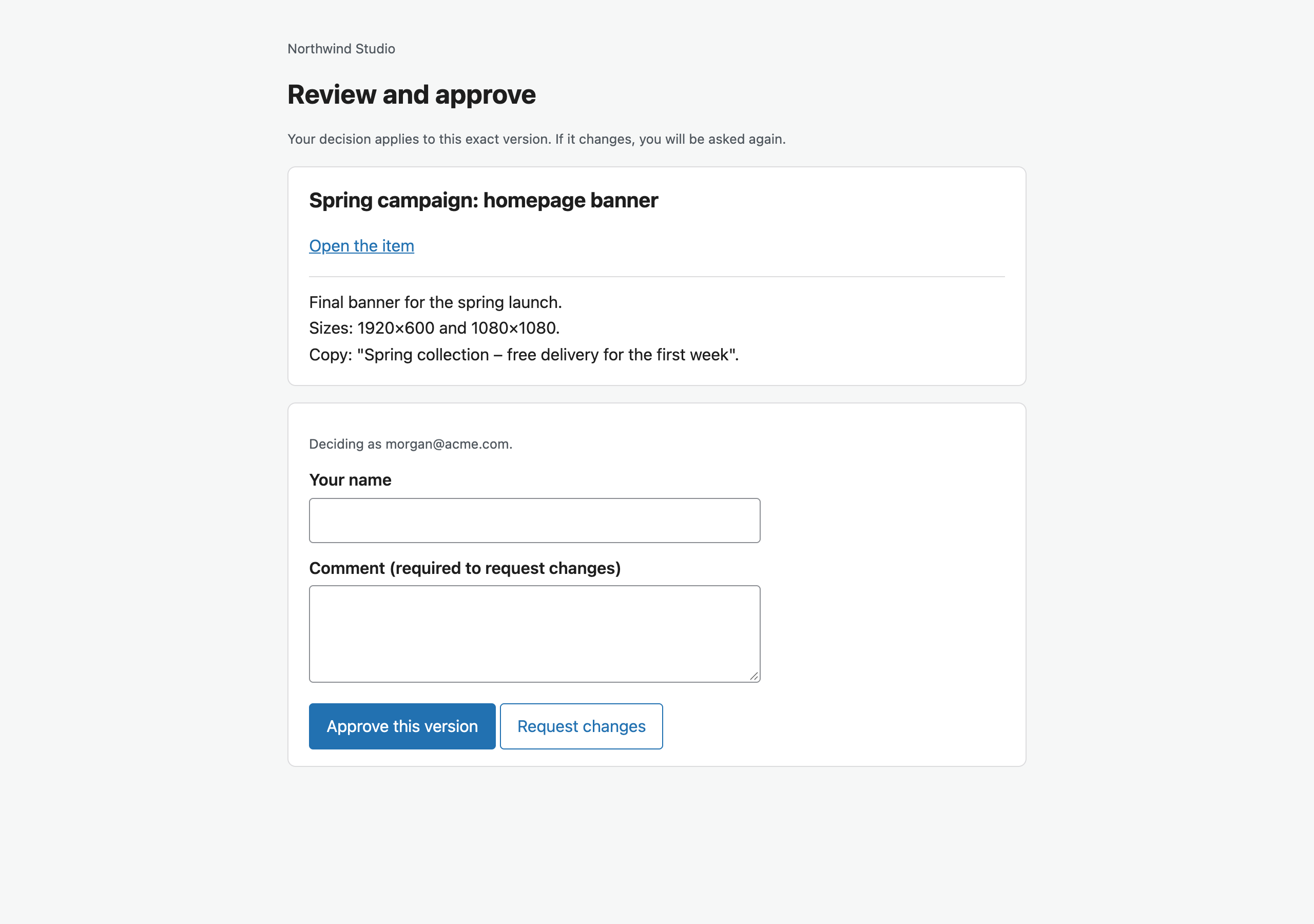
The approver's page, rendered from the product's own page template with sample content.
See it
Pages and emails below come from the product's own code, run with sample data. The spreadsheet tabs are illustrations of what the code writes; in Google Sheets they look like ordinary sheets.
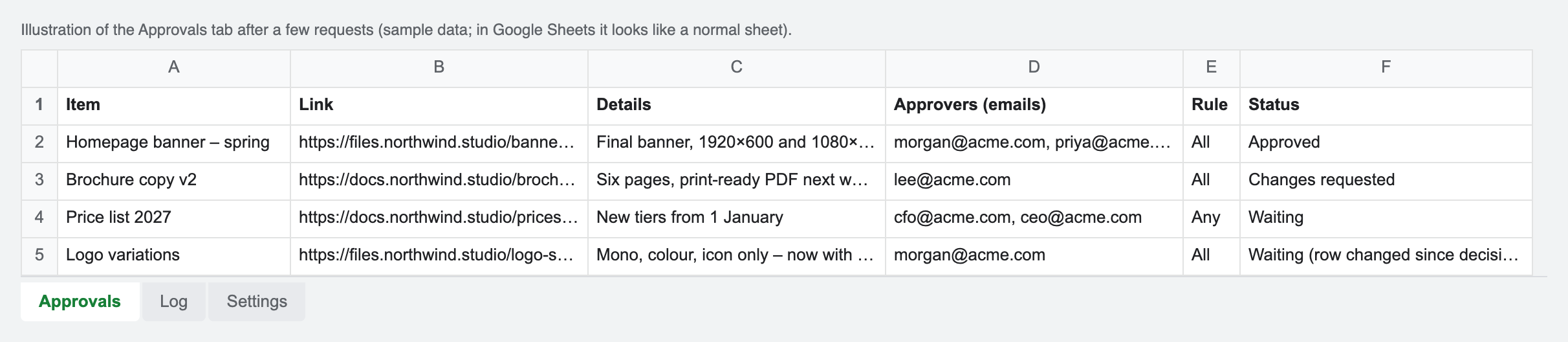
Your sheet: one row per item, with approvers, rule and live status.
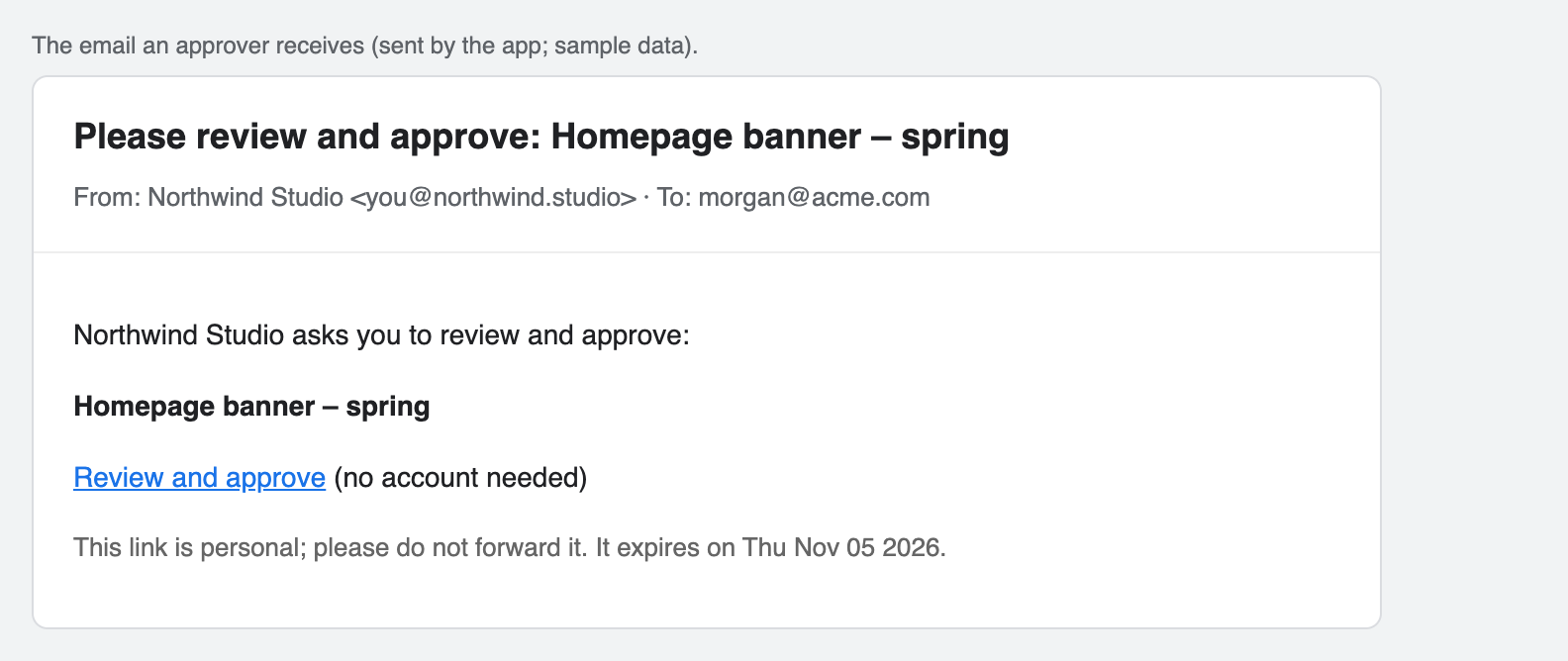
The email each approver gets. No account needed.
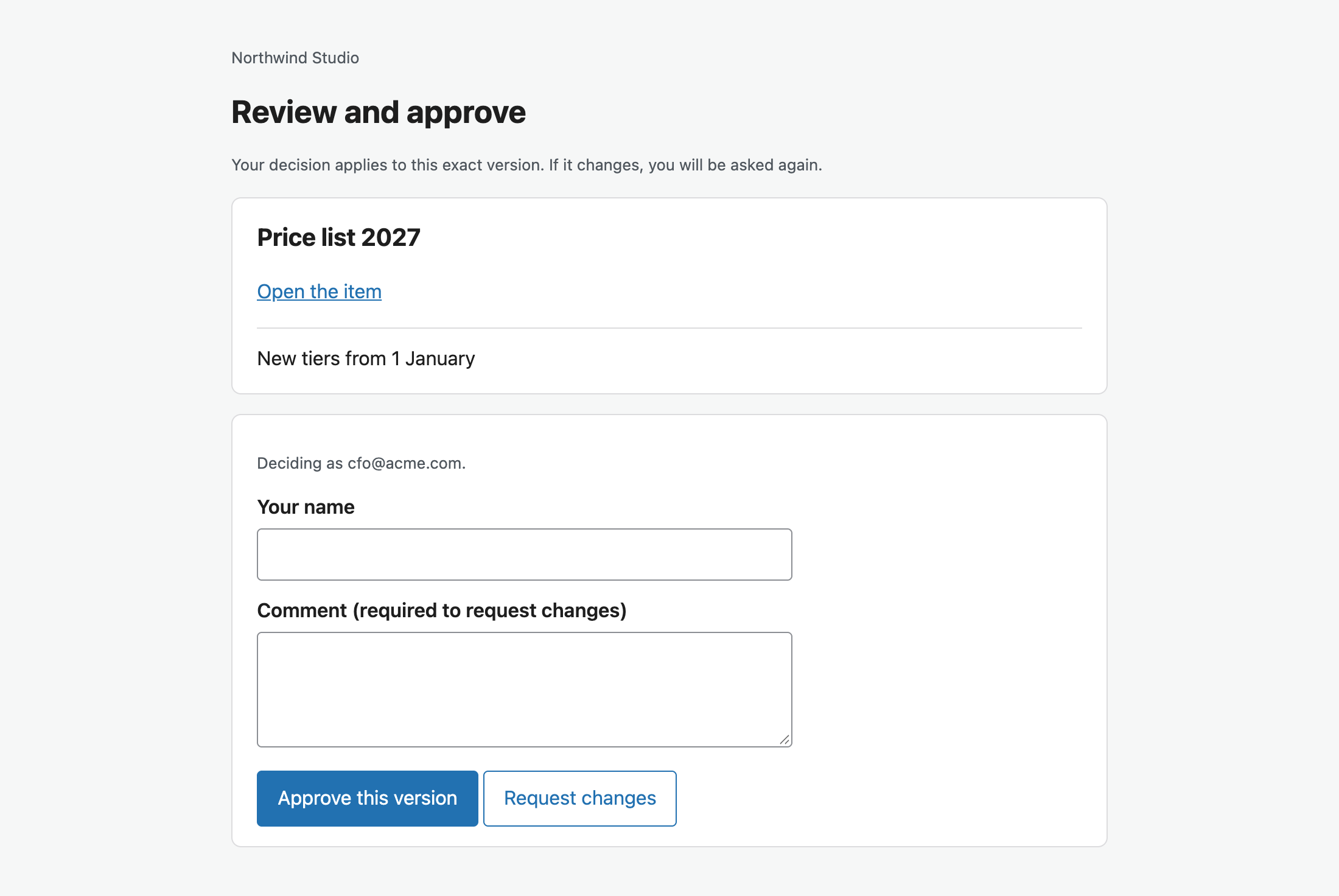
The approver's page.
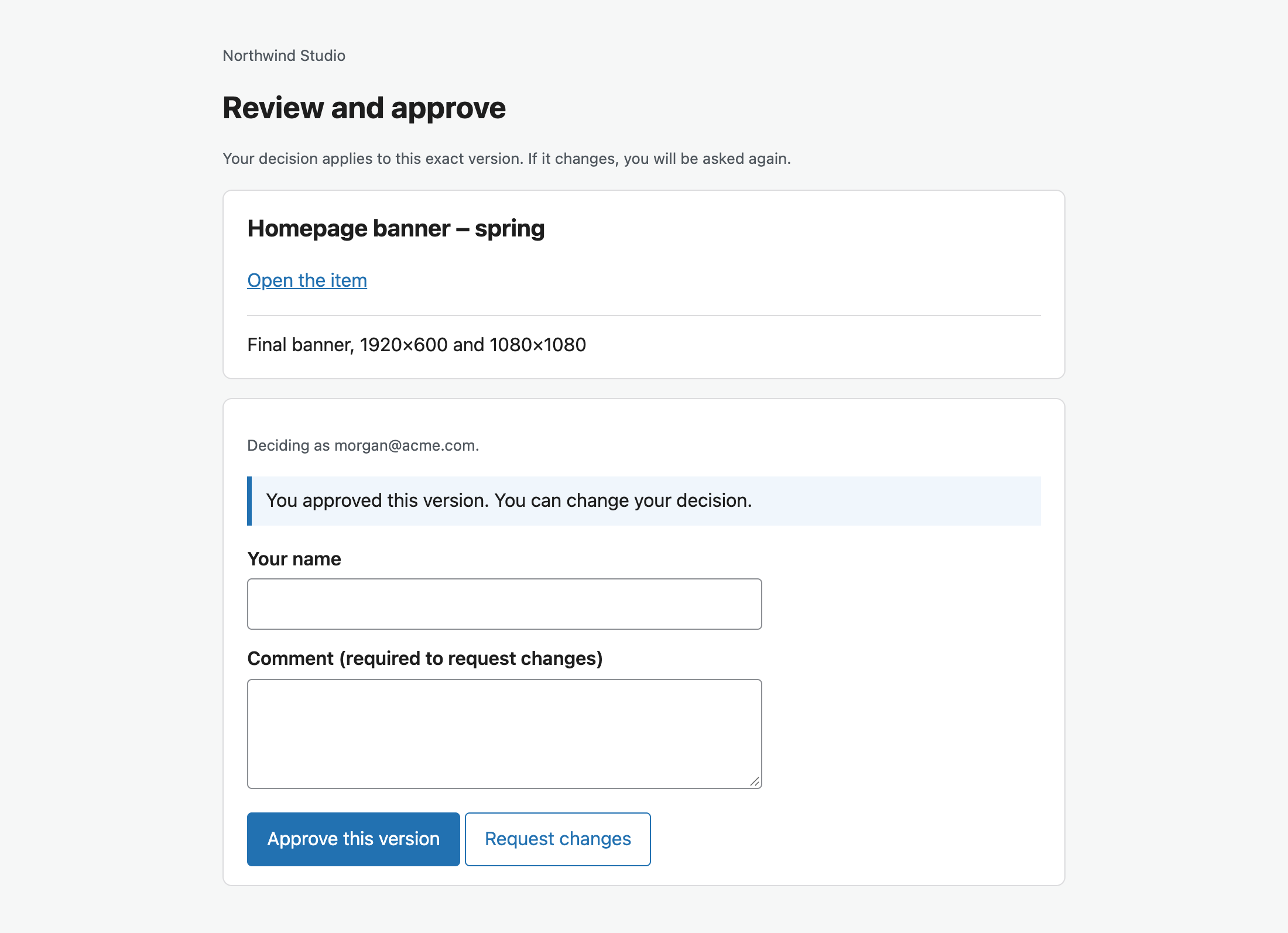
After deciding, the approver can still change their mind.

Links expire after the number of days you choose.
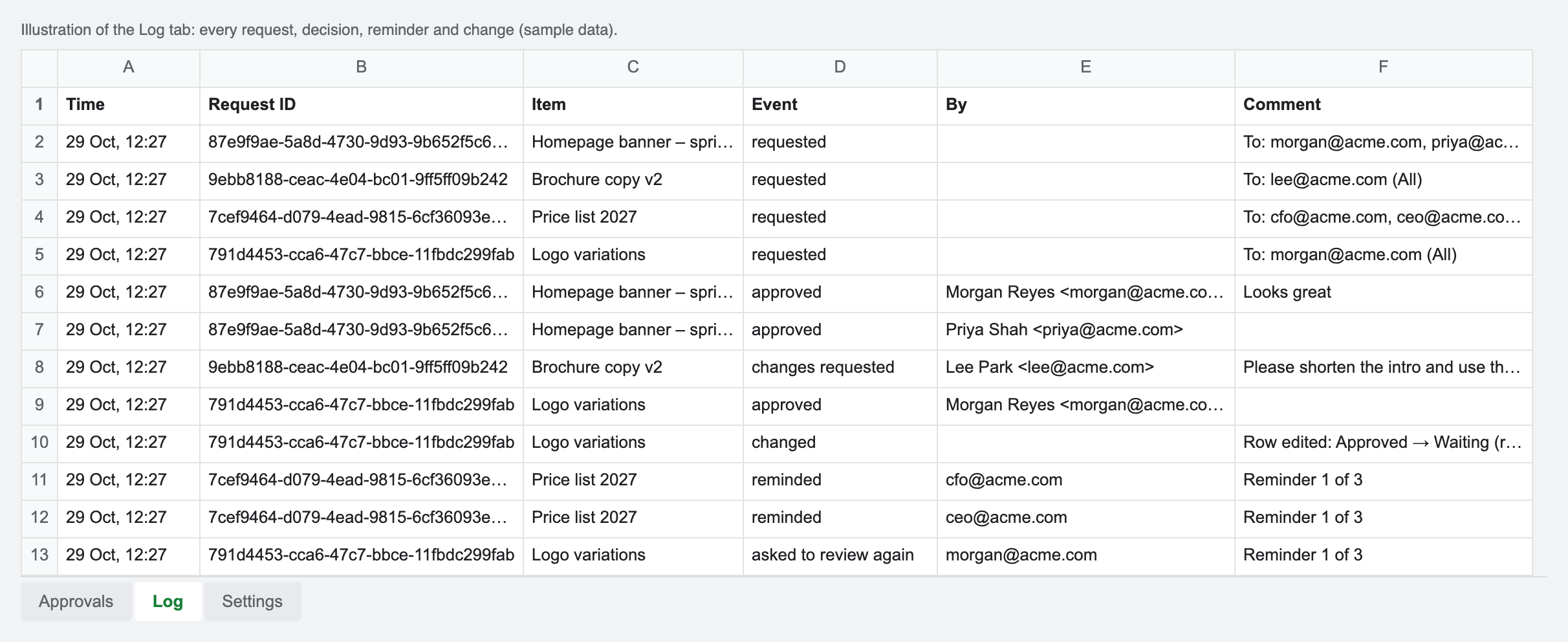
The Log tab: who decided what, on which version, and when.
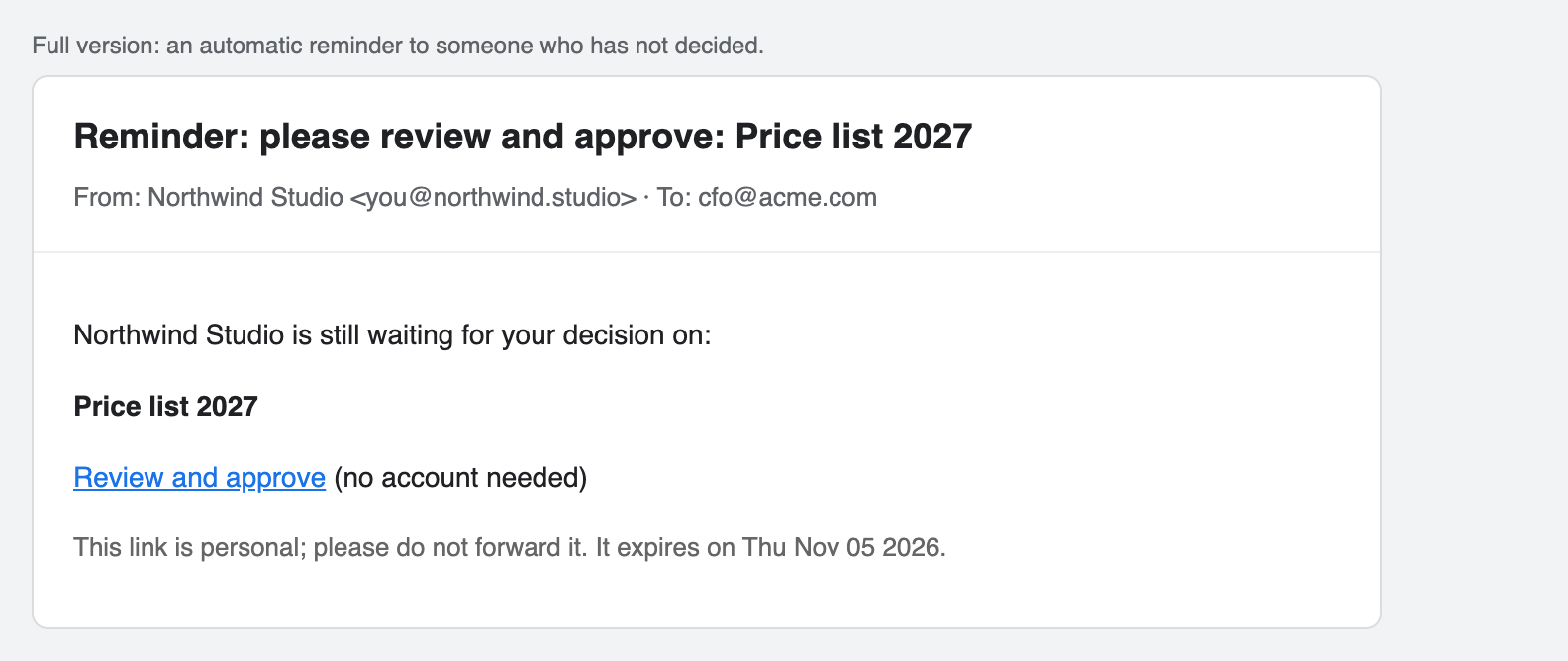
Full version: automatic reminders, up to three.
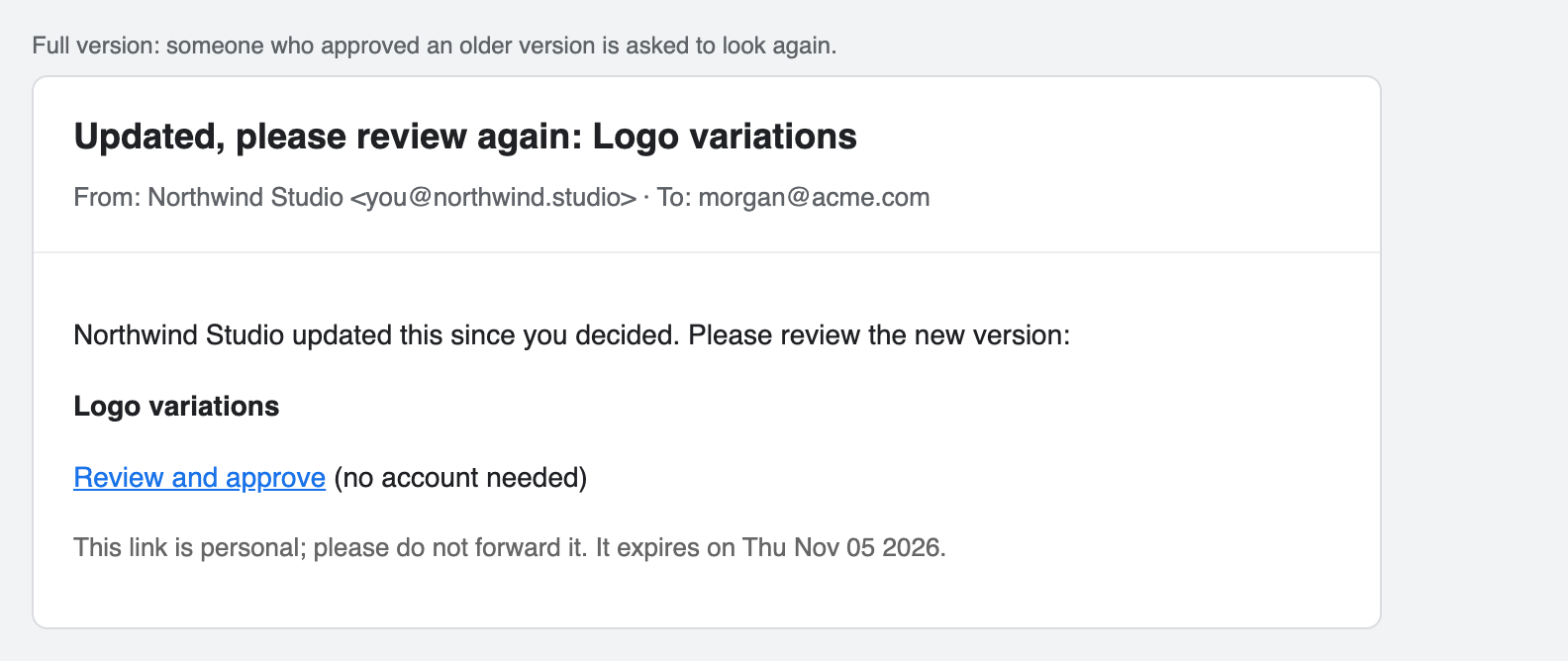
Full version: anyone who approved an older version is asked to look again.
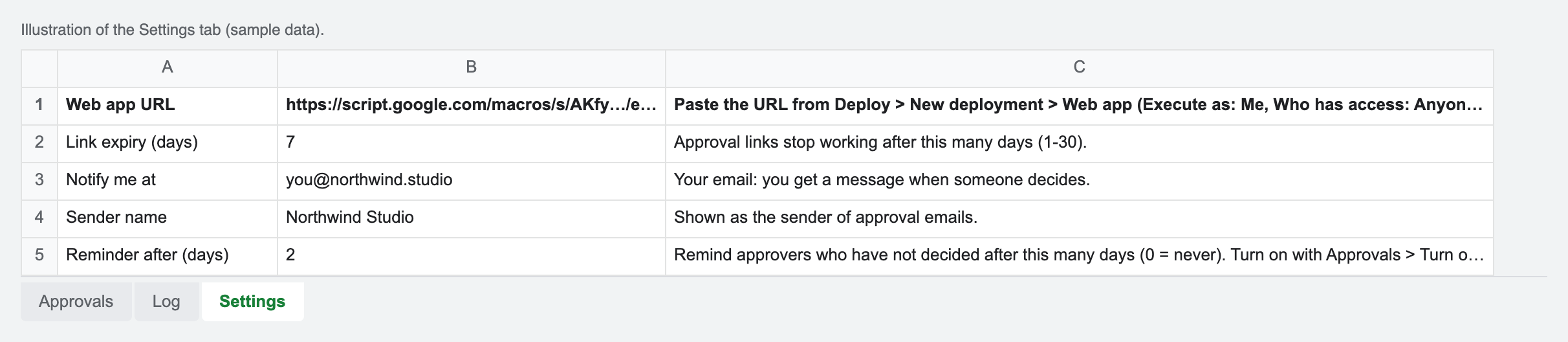
The Settings tab.
Why this one
| Approvals for Google Sheets | Google Drive Approvals | Typical Sheets approval add-ons | |
|---|---|---|---|
| Approvers need a Google account | No | Yes | Varies |
| Approvers see your whole file | No, only what you send | Yes, the file is shared with them | Varies |
| Approval tied to the exact version | Yes | Yes | Rarely mentioned |
| Can an email security scanner decide by opening the link? | No: opening the link only shows the item; a person must press a button | No | Possible with one-click Approve links in the email |
| Where the approval record lives | In your spreadsheet, and stays there if you stop using it | In Drive | Often also on the vendor's service |
| Works on free Gmail and Business Starter | Yes | No (Business Standard and up) | Usually |
| Access it asks for | This spreadsheet only, sending email | Built in | Often all your spreadsheets |
| Price | Free edition; one-off for full | Included in higher plans | Often a subscription |
Honest limits
- Google's email limits apply: about 100 emails a day on free Gmail, 1,500 on Workspace.
- During setup, Google shows an "unverified app" screen because the script runs in your own copy, not as a published app.
- Workspace admins can block public web pages; then people outside your organisation can't open approval links.
- It's a sign-off record, not a legal electronic signature.
Privacy
Everything stays in your spreadsheet. Nothing is sent to us. Approval links are stored only as fingerprints, so they can't be reused even by someone who can see the sheet.
Pricing
| Licence | Price | Includes |
|---|---|---|
| Free | £0 | Sheet row approvals, links that work without a Google account, approvals tied to the exact version, the log. |
| Personal | £29 one-off | Everything in Free, plus automatic reminders. For your own work; unlimited sheets in your Google account. Updates for version 1. |
| Business / Agency | £79 one-off | Everything in Personal, for your team and client work. Priority email support. Updates for all 1.x versions. |
Both apps (Approvals for Google Sheets + Form Approvals): Personal £39, Business £99, one-off.
Launch offer: Personal for £19 per app with code LAUNCH, for the first 50 buyers.
Guides
- Leave request approval with Google Forms
- Expense and purchase approval with Google Forms
- Client sign-off on designs and deliverables in Google Sheets
- Google Forms approvals with no response limit
Get it
Free edition: make your copy of the template (sign in to Google, then click Make a copy). It is the Free edition: row approvals, links without a Google account, version reset and the log. Follow the setup guide (PDF); it takes a few minutes.
Full version: buy on Gumroad (Personal £29, Business £79, one-off). Both apps together: bundle (Personal £39) or Business bundle (£99).